“Will it work with my Roku?” is the question we get most. The honest answer depends on two things: your Roku model, and how you're mirroring. Here's everything in one place.
At a glance
| Roku | Built-in mirroring | With our app |
|---|---|---|
| Roku TV (all brands) | Most models | Works |
| Streaming Stick / Stick Plus (2025) | Yes | Works |
| Streaming Stick 4K / 4K+ | Yes | Works |
| Express 4K / 4K+ | Yes | Works |
| Express 3960, 3930, 3900 | Yes | Works |
| Express 3700 / Express+ 3710 | No | Works |
| Roku Ultra | Yes | Works best |
| Streambar | Yes | Works |
| Google Pixel phone (any Roku) | No | Works |
First, find your Roku model
The model number tells you exactly what you have. It takes ten seconds:
- Press Home on your Roku remote
- Go to Settings › System › AboutThe Model line shows a name and a four-digit number, like Roku Express 3930X or Roku Ultra 4850X.
- Match it in the table belowIgnore the letter at the end (X, R, RW…) — it only marks the region or bundle.
While you're in Settings, check whether you have SettingsSystemScreen mirroring. If that menu is there, your Roku has built-in mirroring.
Device by device

Every Roku TV can run the free companion channel, so any Android phone can mirror to it — sound included on Android 10+.
Roku TV guide →
Roku's current sticks run the companion channel without a hitch. Keep the stick's Wi-Fi signal strong for a smooth picture.
Streaming Stick guide →Mirrors in up to 1080p, upscaled by your 4K TV. Cast a photo or video instead for the sharpest picture.
Streaming Stick 4K guide →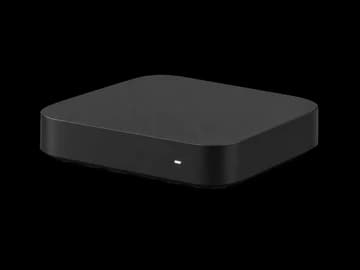
Works on every Express, including the 3700 and 3710 that never had Roku's built-in mirroring. Older Express hardware uses a lighter picture setting to stay smooth.
Roku Express guide →Mirrors in up to 1080p, upscaled by your 4K TV. Cast a photo or video instead for the sharpest picture.
Express 4K guide →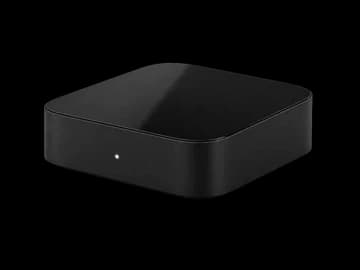
The fastest Roku for mirroring. Plug in Ethernet and you get the lowest delay and the sharpest picture.
Roku Ultra guide →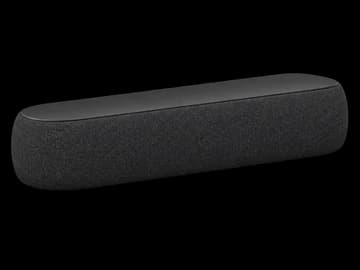
Works like any Roku player, and mirrored sound plays through the Streambar's speakers.
Streambar guide →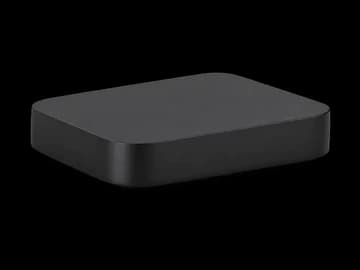
Works on players that still get Roku software updates, like the Premiere. Players too old to add channels from the Roku store can't install the companion channel.
Older Roku guide →Model-by-model table
| Model numbers | Device | Max output | Built-in mirroring |
|---|---|---|---|
| 3840 | Streaming Stick (2025) | 1080p | Yes |
| 3830 | Streaming Stick Plus (2025) | 4K HDR | Yes |
| 3820 · 3821 | Streaming Stick 4K · 4K+ | 4K HDR | Yes |
| 3810 · 3811 · 3800 | Streaming Stick+ · Stick | 4K / 1080p | Yes |
| 3960 · 3930 · 3900 | Roku Express | 1080p | Yes |
| 3931 · 3910 | Roku Express+ | 1080p | Yes (3910: HDMI only) |
| 3700 · 3710 | Roku Express · Express+ | 1080p | No |
| 3940 · 3941 | Roku Express 4K · 4K+ | 4K HDR | Yes |
| 4850 · 4802 · 4800 · 4670 · 4660 · 4640 | Roku Ultra | 4K HDR | Yes |
| 9104 · 9102 · 9101 | Streambar SE · Streambar · Streambar Pro | 4K HDR | Yes |
| 3920 · 3921 · 4620 · 4630 | Roku Premiere · Premiere+ | 4K | Yes |
Roku TV brands
A Roku TV has Roku built in, so it behaves just like a Roku player. In the US, Roku TVs are sold by TCL, Hisense, onn. (Walmart), Sharp, Philips, Westinghouse, JVC, Pioneer and Proscan, plus Roku's own Select, Plus and Pro Series. Outside the US you'll also find brands like Metz, Logik and Polaroid in the UK, and AOC, Philco and Semp in Brazil. Older sets from Element, Insignia, RCA, Hitachi and Sanyo may also run Roku.
Mirroring works the same on all of them. See how to screen mirror to a Roku TV for brand-specific tips.
Which phones work
| Phone | Built-in mirroring | With our app |
|---|---|---|
| Samsung Galaxy | Usually, via Smart View | Yes |
| Google Pixel | No — no Miracast | Yes |
| Motorola, OnePlus, Xiaomi and others | Often — look for Cast or Wireless display | Yes |
| Android tablets | Varies | Yes (Android 8.0+) |
| iPhone & iPad | Use AirPlay on supported Rokus | Android app only |