
Search the App Store or Google Play for “Roku remote” and you'll find dozens of near-identical apps. They all send the same commands to your Roku, so the differences come down to reliability, the extras, and how they treat you. Here's how to judge them — including our own.
What actually matters in a Roku remote app
| What to look for | Why it matters |
|---|---|
| Automatic discovery + manual IP | It should find your Roku by itself, and let you type the IP when a router gets in the way. |
| Clear guidance on “Control by mobile apps” | Since Roku OS 14.1, this setting decides whether buttons work. A good app tells you exactly what to change. |
| Keyboard | Typing a search or a password with your phone's keyboard is the biggest upgrade over a physical remote. |
| Voice | Saying “Open YouTube” beats scrolling through the home screen. |
| Volume & power honesty | Roku TVs support them; sticks often don't. Good apps say so instead of showing buttons that do nothing. |
| No ads on button presses | An ad that pops up when you press Pause is the most common complaint in remote-app reviews. |
| Transparent pricing | Free to use, with any upgrade clearly priced by the App Store or Google Play. |
| Privacy | Commands should go straight from your phone to your Roku on your own network, with no account needed. |
Roku's official app vs. third-party remotes
The official Roku app
- Free, made by Roku, and works with every Roku
- Private listening: plays the TV's sound through your phone's headphones
- Voice search, keyboard, channel launching, and sharing photos and videos from your phone
- Also a guide to Roku's own content, so the remote is one part of a bigger app
Dedicated third-party remotes
- Focused on the remote itself: opens straight to the buttons
- Extras like a swipe touchpad, one-tap channel keys and spoken commands
- Quality varies a lot — some are excellent, some are mostly ads
- Need Control by mobile apps set to Enabled on newer Roku software
Our Roku TV Remote, honestly
We built our remote to be the fastest way to control a Roku from a phone. Here's what it does — and what it doesn't.
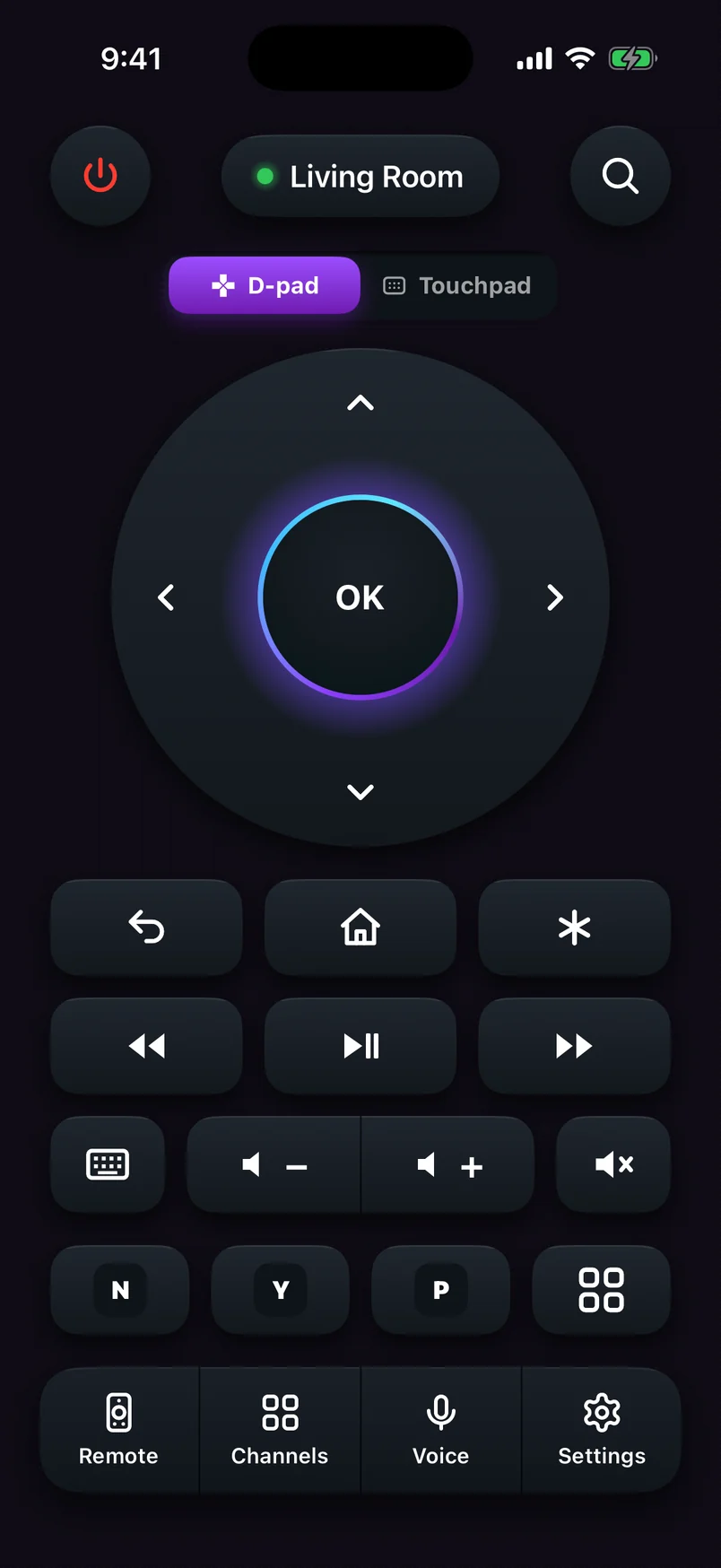

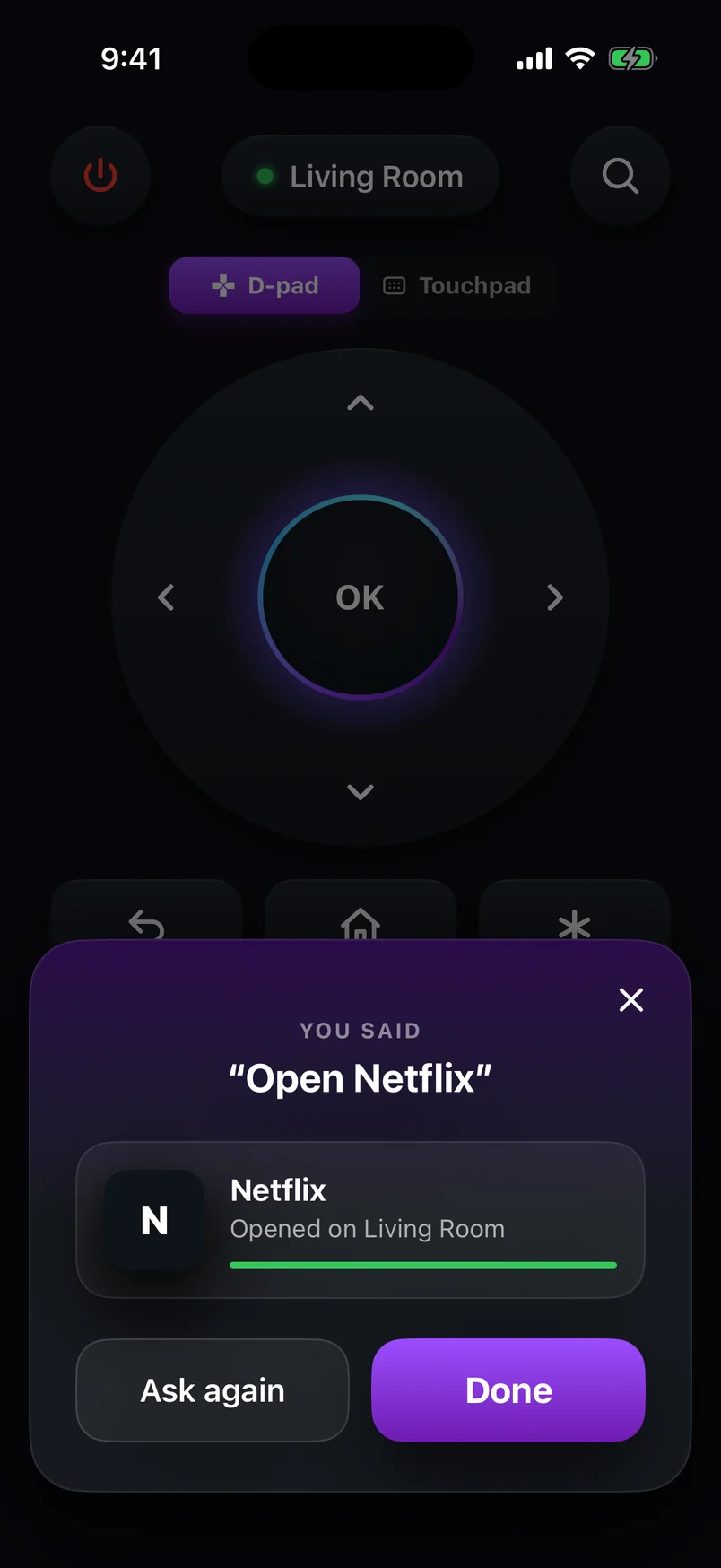
| Feature | Our Roku TV Remote |
|---|---|
| Finds your Roku automatically | Yes, plus manual IP entry |
| D-pad and swipe touchpad | Yes, switch any time |
| Keyboard (type on TV) | Yes |
| Voice commands | Yes — “Open Netflix”, “Volume up”, “Go home”, “Pause” (English and Spanish) |
| Channel keys | Yes, your installed channels as one-tap keys, plus the full list |
| Volume & power | Yes on Roku TVs; on sticks and boxes, via HDMI-CEC — or, on Android, by pairing once with a Google TV / Android TV |
| Private listening | No — use Roku's official app for that |
| Account required | No |
| Price | Free to use; optional Premium removes upgrade prompts |
Before you download any Roku remote
- Read recent reviews for “ads” and “connection” — they reveal the two biggest problems quickly.
- Check the price and what the free version does before starting a trial.
- Make sure the app explains the Control by mobile apps setting; otherwise you may be stuck with buttons that do nothing.
- Prefer apps that don't need an account or unrelated permissions.
Which one should you download?
| If you want… | Download |
|---|---|
| Private listening with headphones | Roku's official app |
| Roku's own movies and shows guide | Roku's official app |
| A fast, focused remote with touchpad and voice commands | A dedicated remote app such as our Roku TV Remote |
| A spare remote for every phone in the house | Either — they work side by side |
You can have bothRemote apps don't lock each other out. Many people keep the official app for private listening and a focused remote for everyday control. Ready to set one up? Here's how to use your phone as a Roku remote.


